

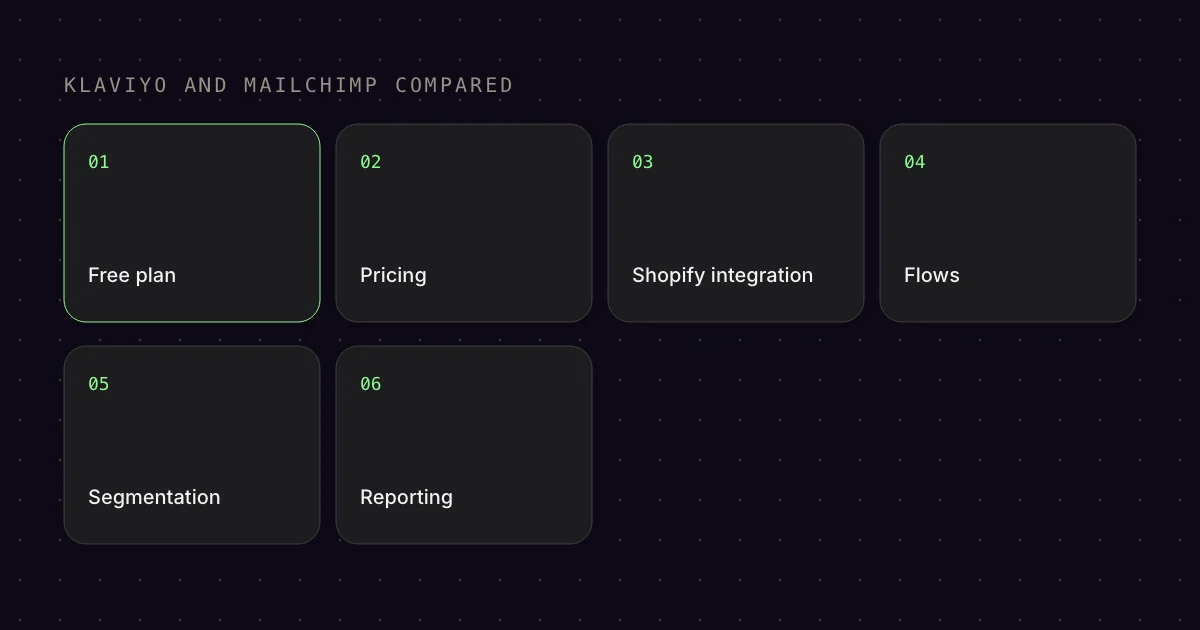
Klaviyo or Mailchimp? It is the most common question when getting started with email marketing. Both tools have their strengths, but for e‑commerce there is a clear difference. Here is the direct comparison.
01Klaviyo: Built for e-commerce
- Topic
- Klaviyo
- Advantage
- thinks in products
Klaviyo was developed for online shops from the start. You notice it in every feature:
- Native Shopify integration: Customers and orders come in automatically, website events like
Viewed Productonly once you turn on the Klaviyo app embed in your Shopify theme, and for visitors from the EU only with consent[10] - E-commerce event tracking:
Viewed Product,Checkout Started,Placed Order: all out of the box[11] - Predictive Analytics: Klaviyo automatically calculates Lifetime Value, Churn Risk, Next Purchase Date[4]
- Dynamic Product Blocks: Automatically show the products from the cart or browsing history[6]
Klaviyo is the tool if e‑commerce is your business. It thinks in products, orders, Customer Lifetime Value.
02Mailchimp: Generalist with a low-cost entry
- Topic
- Mailchimp
- Advantage
- cheaper to start
Mailchimp is an all-rounder. It works for newsletters, local businesses, non-profits, bloggers and also for e‑commerce. But:
- E-commerce features are less deeply integrated
- Segmentation is less granular
- Predictive Analytics such as customer lifetime value (CLV) and purchase likelihood only from the Standard plan upwards[3]
In return, Mailchimp is cheaper to start with and has a broader range of features for non-e‑commerce use cases (e.g. social media ads, landing pages).[2]
03Free plans compared
- Topic
- Free plans
- Advantage
- Klaviyo
Klaviyo Free Plan
- Up to 250 contacts
- 500 emails per month[1]
- Many core features included (flows, segmentation, reports), but without Predictive Analytics and with the Klaviyo logo in your emails[1]
Mailchimp Free Plan
- Up to 250 contacts[2]
- 500 emails per month (max. 250/day)[2]
- Limited features (only 1 audience, no A/B testing, no advanced segmentation)[3]
Free plan winner: Klaviyo. The same number of contacts (250),[3] but with flows and segmentation.[1] Mailchimp lacks important tools.
04Pricing from 250+ contacts
- Topic
- Pricing
- Advantage
- it depends
Klaviyo Pricing
- Email Plan: From $20/month (251-500 contacts), email only[9]
- SMS and other text messages: Separate plan, independent of the email plan, billed by volume and destination country[12]
- Prices rise with the number of contacts (1,000 contacts: $30/month, 5,000 contacts: $100/month)[1]
Mailchimp Pricing
- Essentials Plan: From $13/month (500 contacts)[2]
- Standard Plan: From $20/month (500 contacts), with automation and A/B testing[2]
- Premium Plan: From $350/month (10,000 contacts), with advanced segmentation[2]
Prices as of October 2026, in US dollars excluding tax.
Pricing winner: It depends. Mailchimp is cheaper to start with. Klaviyo gets more expensive but offers more e‑commerce depth.
05Shopify integration
- Topic
- Shopify integration
- Advantage
- Klaviyo native
Klaviyo: Native integration, connected directly in Klaviyo. Customers and orders come in automatically, website events like Viewed Product only after you turn on the Klaviyo app embed, and for visitors from the EU only with consent.[10]
Mailchimp: Official app from Intuit Mailchimp in the Shopify App Store.[13] The old legacy version has been discontinued, and anyone still using it has to switch to the current app.[14] There are third-party apps (ShopSync), but the integration is less seamless.
06Flow Builder & Automation
- Topic
- Flow Builder
- Advantage
- Klaviyo with Conditional Splits
Klaviyo: Intuitive Visual Flow Builder with Conditional Splits, A/B testing within flows, triggers based on e‑commerce events (Viewed Product, Placed Order, etc.).[7]
Mailchimp: Marketing Automation Flows (called “Customer Journey Builder” until June 2025) are available, but less e‑commerce specific.[3] There are shop triggers such as purchase, abandoned cart and churn risk, and with a connected Shopify store also abandoned browse and abandoned checkout.[15]
07Segmentation
- Topic
- Segmentation
- Advantage
- Klaviyo extremely granular
Klaviyo: Extremely granular. You can segment by any event, any property, any metric.[5] Example: “Customers who viewed product X in the last 30 days but did not buy it, and whose CLV is > €100.”
Mailchimp: Good segmentation, but less deep. Some e‑commerce specific metrics are missing.
08Reporting & Analytics
- Topic
- Reporting
- Advantage
- Klaviyo e-commerce dashboard
Klaviyo: E-commerce dashboard with Revenue per Recipient, Attributed Revenue, Conversion Rate, ROI.[8] Everything is focused on e‑commerce.
Mailchimp: Good reports, but less e‑commerce specific. Revenue attribution via the Shopify app with an adjustable time window.[16]
09Conclusion: Klaviyo or Mailchimp?
- Topic
- Conclusion
- Advantage
- Klaviyo for e-commerce
Choose Klaviyo if:
- You run an online shop (Shopify, WooCommerce, Magento, etc.)
- E-commerce events (Abandoned Cart, Browse Abandonment, Post Purchase) matter to you
- You want to use Predictive Analytics (CLV, Churn Risk)
- You are willing to pay for e‑commerce depth
Choose Mailchimp if:
- You mainly send newsletters (blog, content site, non-profit)
- Your e‑commerce share is small and you are looking for one tool for everything
- You want to pay as little as possible to start with
Bottom Line: For e‑commerce, Klaviyo is the better tool. It was built for it, it thinks in e‑commerce logic, and its features are designed to maximise revenue. Mailchimp is a solid all-rounder, but if you have a shop, you will miss Klaviyo’s e‑commerce depth.
FAQ
Is Klaviyo or Mailchimp better for Shopify?
For an online shop, Klaviyo is usually the better choice. It works with shop events like Viewed Product and Placed Order, attributes revenue to individual emails and shows revenue per recipient. Mailchimp is more worthwhile if you mainly send newsletters and want to pay as little as possible to start with.
How much does Klaviyo cost compared to Mailchimp?
Klaviyo is free for up to 250 active profiles and 500 emails per month, and after that the email plan starts at $20 for 500 profiles. Mailchimp starts with Essentials from $13 and Standard from $20 for 500 contacts. Premium costs from $350 for 10,000 contacts.
When does Klaviyo start showing Predictive Analytics?
Klaviyo only shows predictions such as future customer value, churn risk and the expected next order date once at least 500 customers have placed an order. It also needs 180 days of order history with orders in the last 30 days and some customers with three or more orders.
How finely can I segment in Klaviyo?
Very finely. Klaviyo segments by events like Placed Order and filters them by their properties. On top of that come profile data, location, lists, consent and predictions such as customer value. This lets you build, for example, a segment of all customers who viewed a product but did not buy it.
Can I test flows in Klaviyo?
Yes. With a conditional split, you divide a flow randomly into two paths, and Klaviyo picks one branch for each profile. This lets you compare two versions of a sequence with each other. Flows are triggered by shop events like Viewed Product or Placed Order, meaning directly by behaviour in the shop.
Sources
- Klaviyo: “Klaviyo Pricing | Start Free with Email & SMS”, undated. https://www.klaviyo.com/pricing (accessed 17 Oct 2026)
- Mailchimp: “Mailchimp Pricing Plans | Get Started Today”, undated. https://mailchimp.com/pricing/marketing/ (accessed 17 Oct 2026)
- Mailchimp: “Mailchimp Marketing Plan Comparisons”, undated. https://mailchimp.com/pricing/marketing/compare-plans/ (accessed 17 Oct 2026)
- Klaviyo Help Center: “Understanding Klaviyo’s predictive analytics”, updated 5 Aug 2025. https://help.klaviyo.com/hc/en-us/articles/360020919731 (accessed 17 Oct 2026)
- Klaviyo Help Center: “Segment conditions reference”, updated 19 Mar 2026. https://help.klaviyo.com/hc/en-us/articles/115005062847 (accessed 17 Oct 2026)
- Klaviyo Help Center: “How to build dynamic blocks in a flow email”, updated 30 Mar 2026. https://help.klaviyo.com/hc/en-us/articles/4408802597659 (accessed 17 Oct 2026)
- Klaviyo Help Center: “How to A/B test flow branches”, updated 8 Oct 2026. https://help.klaviyo.com/hc/en-us/articles/360049849432 (accessed 17 Oct 2026)
- Klaviyo Help Center: “How to calculate revenue per recipient”, updated 6 Aug 2025. https://help.klaviyo.com/hc/en-us/articles/360034724572 (accessed 17 Oct 2026)
- Shopify App Store: “Klaviyo: Email Marketing & SMS”, undated. https://apps.shopify.com/klaviyo-email-marketing (accessed 17 Oct 2026)
- Klaviyo Help Center: “Getting started with Shopify”, updated 7 Oct 2026. https://help.klaviyo.com/hc/en-us/articles/115005080407 (accessed 17 Oct 2026)
- Klaviyo Help Center: “Shopify data reference”, updated 18 Nov 2025. https://help.klaviyo.com/hc/en-us/articles/115005080447 (accessed 17 Oct 2026)
- Klaviyo: “How Klaviyo Pricing Works: Active Profiles and Send Capacity”, undated. https://www.klaviyo.com/platform/how-klaviyo-pricing-works (accessed 17 Oct 2026)
- Shopify App Store: “Mailchimp Email SMS Marketing”, undated. https://apps.shopify.com/mailchimp (accessed 17 Oct 2026)
- Mailchimp Help: “Switch from Mailchimp for Shopify [Legacy]”, undated. https://mailchimp.com/help/switch-legacy-shopify/ (accessed 17 Oct 2026)
- Mailchimp Help: “All the Marketing Automation Flow Triggers”, undated. https://mailchimp.com/help/all-the-starting-points/ (accessed 17 Oct 2026)
- Mailchimp Help: “Manage Mailchimp for Shopify”, undated. https://mailchimp.com/help/manage-mailchimp-shopify/ (accessed 17 Oct 2026)
This article is by Emailfy. We set up Klaviyo for Shopify stores, which is exactly what we write about here. How we work: Editorial guidelines.